How to Import and Export Products in Bulk
Managing product data is an important part of running a wholesale business. Whether you're adding a new product range, updating existing items, or maintaining a large product catalog, handling these changes individually can take considerable time.
Sply24 makes this process easier with built-in bulk import and export tools. You can upload product data using CSV or Excel files, update existing products, and export your catalog whenever you need it.
This guide explains how to prepare your files, import product information, handle validation errors, and export your product data.
Bulk product import using CSV or Excel files is designed for initial product uploads and occasional catalog updates. However, it should not be your primary method of managing products and inventory if your company already uses an inventory management, warehouse management, or accounting system.
If you already have such a system, we recommend setting up an integration with Sply24 instead. An integration allows your product catalog to be imported automatically and inventory levels to be synchronized between systems, reducing the need for manual file uploads and helping keep product information up to date.
To discuss integration options and request setup, contact our support team at support@sply24.com.
Integration setup is provided free of charge by Sply24 for customers with an active subscription plan that includes integrations.
Preparing Your Product Import File
Sply24 supports bulk product imports using CSV and Excel (.xlsx) files, with a maximum file size of 25 MB. If your file exceeds this limit, divide your product data into smaller files and import them separately.
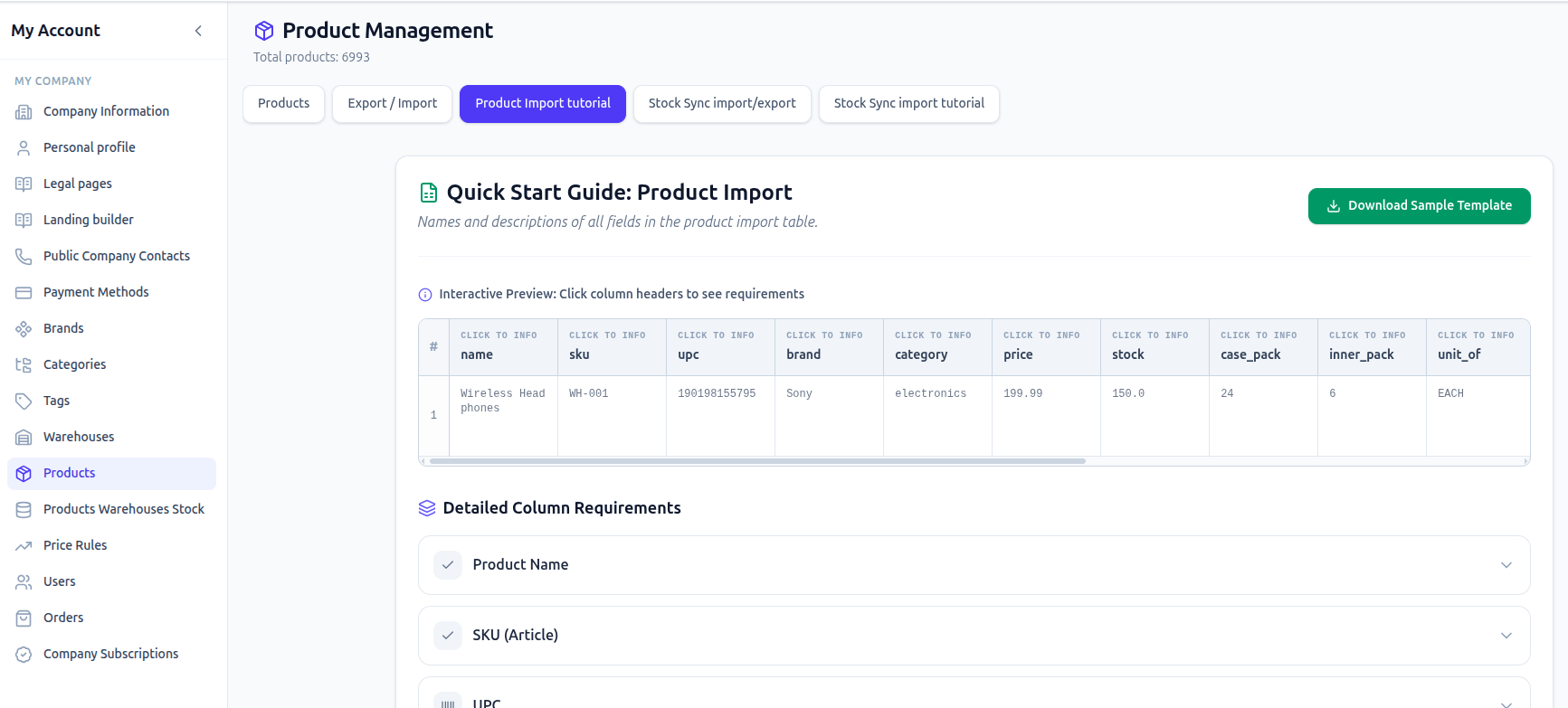
To guarantee a successful import, your file structure must strictly align with the standard attribute table. Each column represents a specific data type, and certain fields are mandatory. Products are strictly identified by their SKU, meaning every item in your catalog must have a unique SKU assigned to it.
- CSV & Excel format
- Files up to 25 MB
- Unique SKU required
Download the Official Template: Navigate to the Products > Product Import tutorial tab in your dashboard to download a pre-formatted .xlsx template with the correct column headers ready for your data.
Import Validation and Error Reports
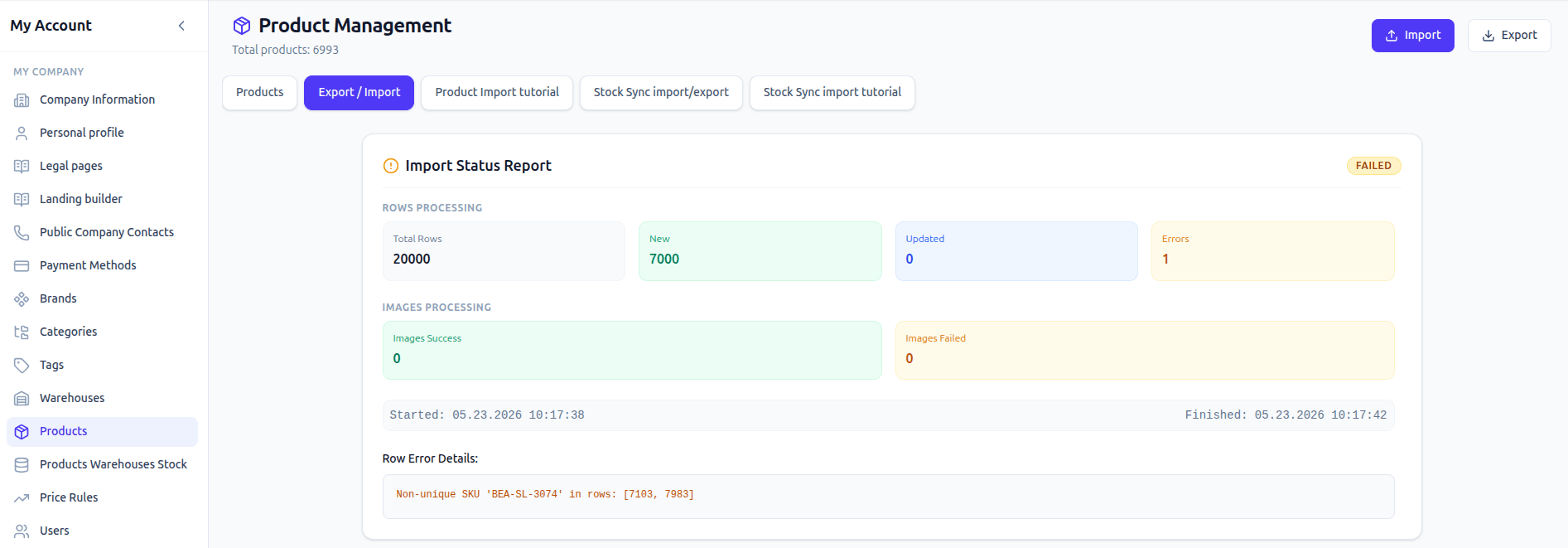
Before processing your file, Sply24 automatically validates the uploaded product data to identify invalid or incomplete records. If some rows contain errors, the entire import does not have to fail. Sply24 skips rows with invalid data and continues processing valid records, allowing the rest of your catalog to be imported.
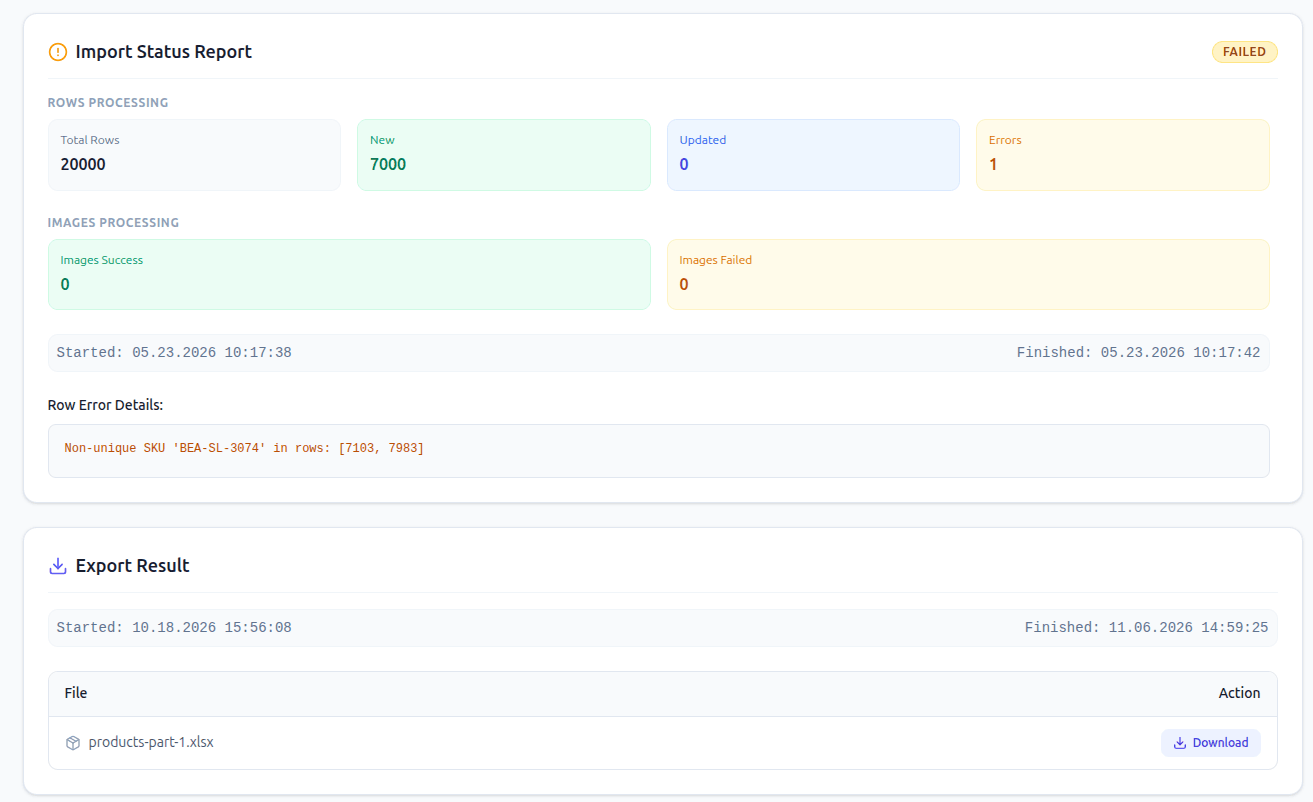
Once the import is complete, a comprehensive Import Report is generated. This report details exactly how many new products were added and how many existing items were updated. If any rows were skipped, the report will list the errors—either categorized generally or tied directly to specific row numbers—allowing you to quickly identify and correct them.
Import Performance and Product Images
Importing large product catalogs requires considerable processing resources. To maintain system stability and ensure consistent performance, Sply24 processes imports in the background.
Multiple imports cannot run simultaneously. Each import must finish before you can start another one.
Product images are handled separately from the main import process. If your file contains external image URLs, Sply24 downloads and saves these images through a dedicated background process. This allows product information to be imported without waiting for all images to finish downloading.
- External image bandwidth limits
- Pre-compressed photos optimization
Important: Please ensure your catalog size aligns with your subscription limits. You cannot upload more products than your current tier allows. Check your limits on our Pricing Plan page.
Exporting Your Product Catalog
You can export your entire product catalog as a CSV file whenever you need a copy of your product data for external use, reporting, or further processing.
To start an export, click Export in your Sply24 dashboard. The system collects your product data in the background and prepares downloadable files.
For large catalogs, the export is automatically divided into smaller files containing up to 50,000 products each. Once processing is complete, you will receive an on-screen notification with links to download the generated files.
Export Reports and Download History
Each export generates a report containing the task's start and completion dates, along with links to the resulting files.
Your generated files remain available for download, so you don't need to run another export just to retrieve data you've already exported. If your product catalog has changed and you need an updated version, simply start a new export.