How to register your company on the Sply24 B2B wholesale platform
Welcome to Sply24, a private B2B wholesale platform built for companies that want to move wholesale ordering away from spreadsheets, email, phone calls, and manual order processing.
This guide explains how to register your company, set up your business email registration, choose a subscription plan, create your company subdomain, and activate your Sply24 account.
If you are looking for b2b portal free registration, Sply24 lets you start the registration process online and choose an available subscription plan, including a free trial when it is offered.
Step 1: Enter the business owner details
The first step is to enter the business owner details. You need to provide:
- First name
- Last name
- Business email address
Your business email registration is important because Sply24 uses this email to create and protect your company account.
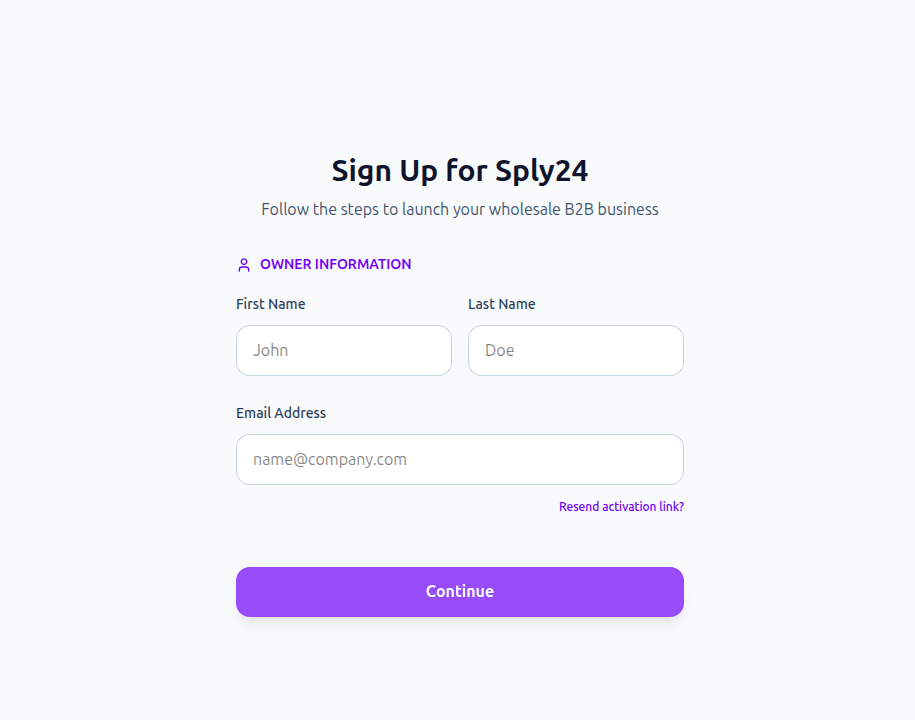
The system automatically checks whether this email address has already been used to register another company. Only one company can be registered per email address.
How authentication and roles work on Sply24
The authentication system uses two logical roles: Company Owner and Buyer. The system identifies you by the combination of your email address and the specific subdomain you log into. You can register only one company per email address, but you can log in as a buyer to an unlimited number of other companies using that exact same email.
For example:
Let's say john-doe@example.com registers his business at john-doe-company.sply24.com. When logging into this specific subdomain, the system always recognizes him as the Owner. Within his own company, he can manage products and accept orders from other users.
However, if John logs into a different company, such as sara-doe.sply24.com, the system will always identify him as a Buyer.
Strict data isolation: All data is tightly bound to the subdomain. While inside sara-doe.sply24.com, John will only see the catalog and his order history for Sara's company. To view products at another company, like demo.sply24.com, John must log out and log into that specific subdomain. Catalogs, products, and order histories are strictly isolated and never overlap.
Step 2: Choose a subscription plan
After entering the owner details, click Next to choose your subscription plan. At this stage, you can select:
- A subscription plan
- Monthly or annual billing
- A free trial period, if available
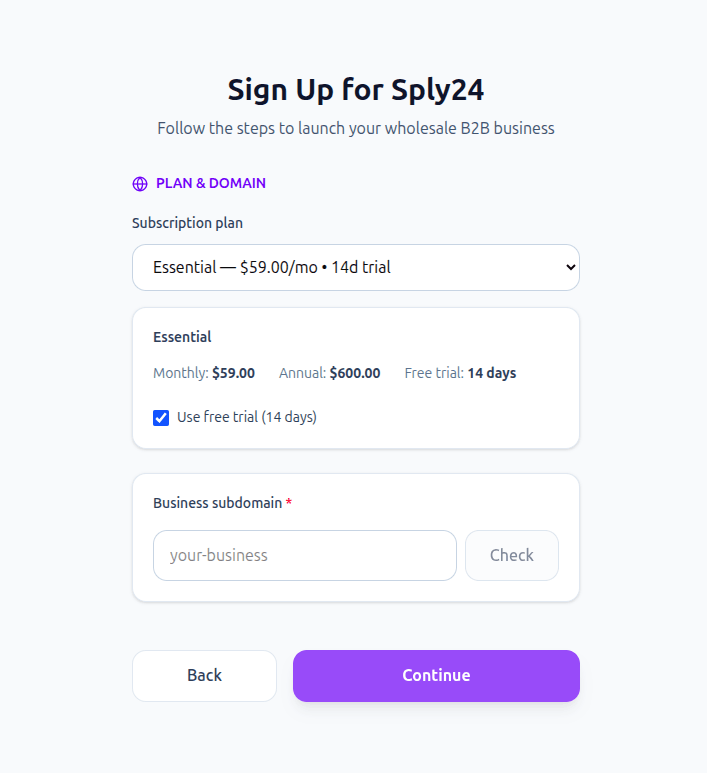
Sply24 always includes at least one plan with a trial period in the system. This makes it easier to start setting up your private B2B portal before fully moving your wholesale order process online.
Step 3: Set up your company subdomain
Next, choose the web address where your company portal will be available. For example:
This subdomain becomes the private B2B portal where your wholesale buyers can log in, view their available catalog, place orders, and work with the pricing and payment options assigned to them.
Some subscription plans may support a custom domain. However, during the standard registration process, you can start with a Sply24 subdomain.
When choosing a subdomain, use a clear and recognizable name, such as your company name or brand name. Avoid generic names such as:
www test demo shopAfter entering your preferred subdomain, click Check. If the subdomain is available, you can continue to the next step.
Step 4: Add your business information
The next step is to enter your business information. This information may be used for subscription billing and invoice generation through Stripe. You may need to provide:
- Company name
- Registration address
- Billing details
- Country or region
- Other business information required for your subscription
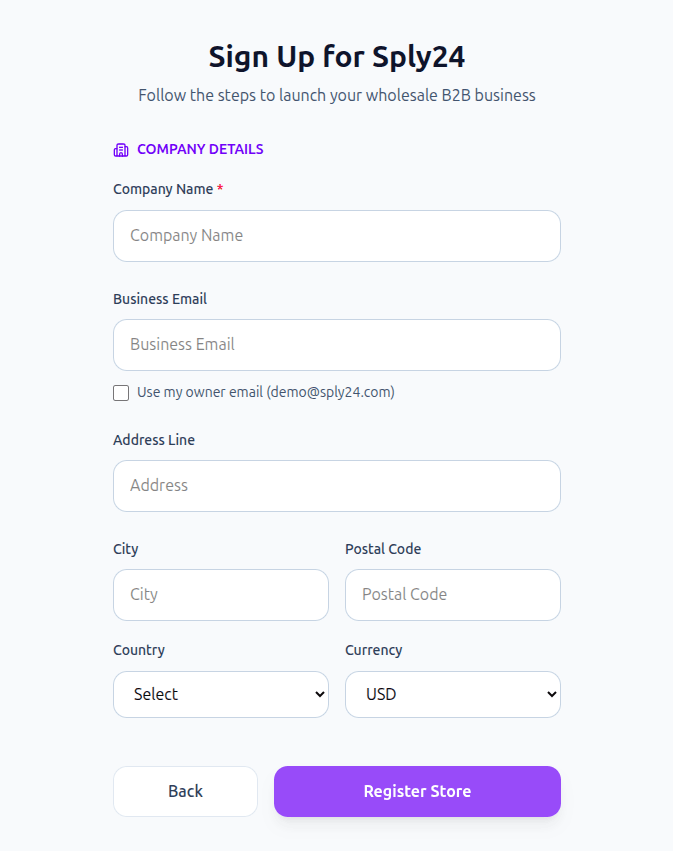
Step 5: Complete registration and activate your account
After all required information has been entered, click Register. Sply24 will create your company account and send an activation link to your registered email address.
Open your inbox, find the activation email, and click the link inside the message. After activation, you will be redirected to the Sply24 dashboard. From there, you can continue setting up your workspace, catalog, customers, pricing, and payment options.
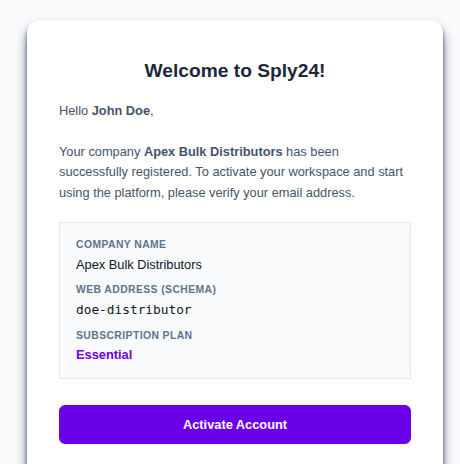
🎉 Your company registration is now complete.
What happens after registration?
After registration, your company gets access to a private B2B portal on Sply24. Depending on your setup, you can use Sply24 to:
Frequently Asked Questions
Yes, Sply24 allows you to start the company registration process online and select an available plan. At least one subscription plan includes a trial period when available in the system.
Yes. To register a company with your own domain name, contact our support team at support@sply24.com. Custom domains may require a subscription plan that supports this option.
No. One email address can register only one seller company on Sply24. However, the same email address can be used as a buyer to access other companies on the platform.
Yes, you can use the same email to log in as a buyer to multiple companies on Sply24.
Yes. Sply24 supports both legal entities and individuals.